Appearance
Step 2: Sub Products
Some products require an additional sub-product selection before you can process a payment. Call the Sub Products API with the relevant product code to retrieve the available options.
JomPAY billers
For JomPAY biller selection, use the dedicated JomPAY Billers API instead of the Sub Products API.
API Reference
For the full endpoint specification (headers, parameters, response schema, and examples), see Sub Products API Reference.
The following product types require sub-product selection:
| Product Type | What You Retrieve | Reference |
|---|---|---|
| Mobile Data | Data plans (per phone number) | Sub Products — Mobile Data |
| PTPTN / SSPN | Account types | Sub Products — PTPTN / SSPN |
Mobile Data Plans
API Reference
This applies when the product code is one of the mobile data / internet codes listed below.
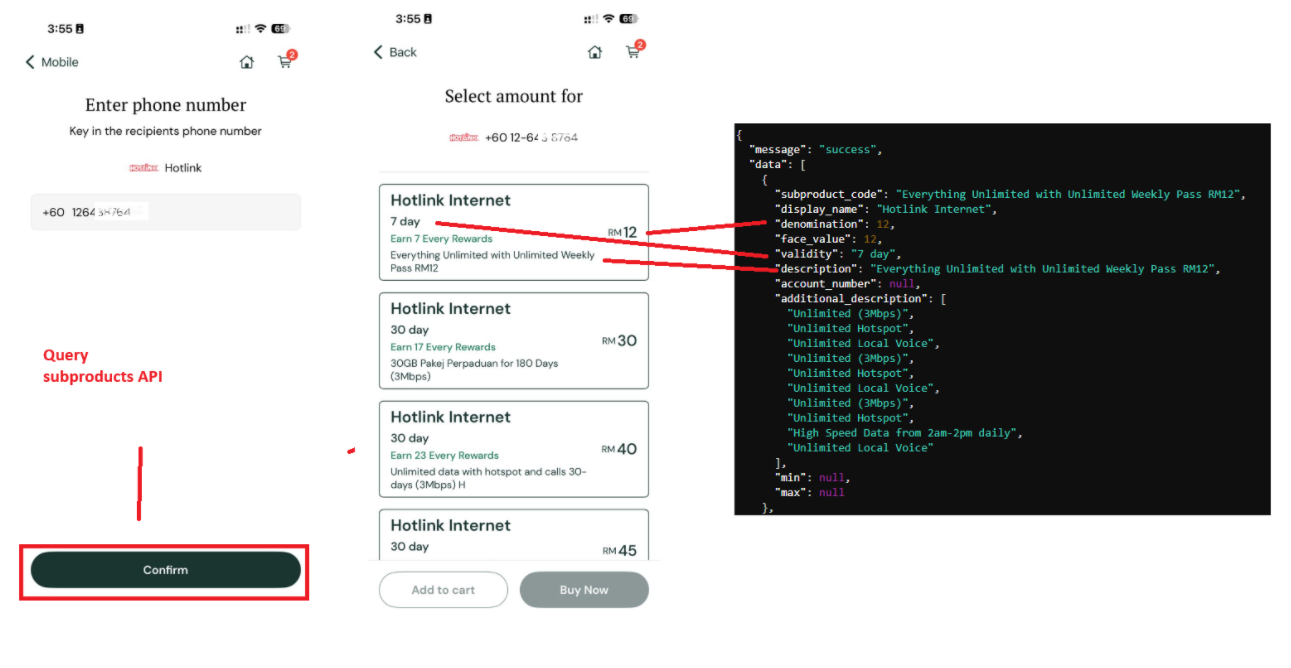
Data plans are personalized per phone number based on the user's eligibility. The available plans can differ substantially across users, so only display the plans returned by the API for that specific number. This minimizes failed transactions and provides a better user experience.
Applicable Product Codes
| Product Code | Product Name |
|---|---|
CEL | Celcom Internet |
DI | Digi Internet |
HI | Hotlink Internet |
UMI | Umobile Internet |
TI | Tunetalk Internet |
OXI | Onexox Internet |
YESI | Yes Internet |
PTPTN / SSPN
API Reference
This applies when the product code is PTPTN.
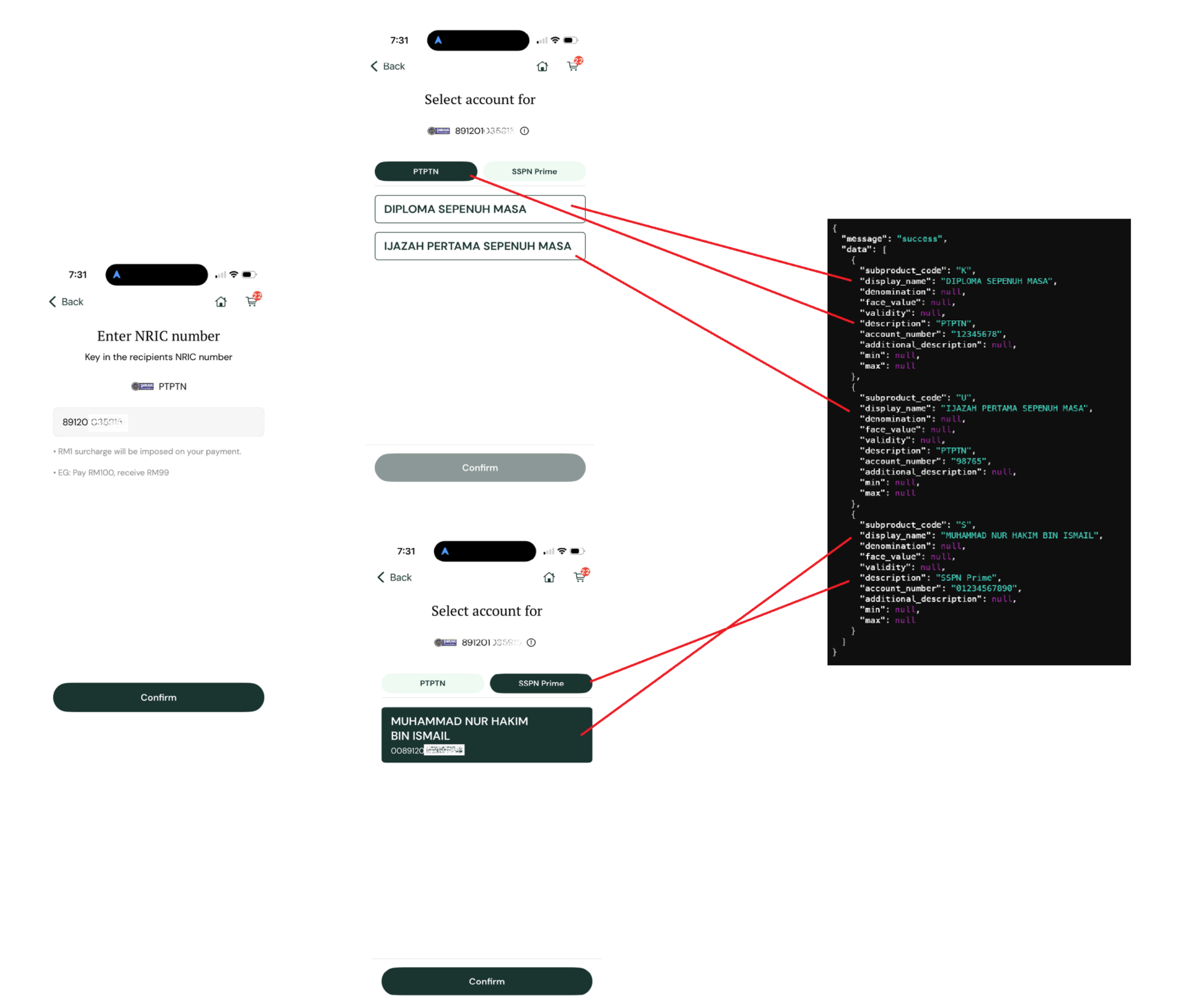
PTPTN offers four sub-product types:
| Product Name | Category | Sub Product Code |
|---|---|---|
| Konvensional | PTPTN | K |
| Ujrah | PTPTN | U |
| SSPN Prime | SSPN Prime | S |
| SSPN Plus | SSPN Prime | SP |
How to Display and Use the Data
- Check the
descriptionfield for each item in the API response to determine its category. - Group items under their category. A user may have multiple accounts associated with their NRIC number.
- Retrieve the
account_numberfrom the API response for the selected account. - Pass to payment — Use the retrieved
account_numberin Step 5: Make Payment.