
Appearance
Create an Account
You need an IIMMPACT account to access the Dashboard, generate API credentials, and start processing transactions.
Request an account
For staging/testing, you can sign up directly at dashboard-staging.iimmpact.com — no verification or approval required. This is the fastest way to evaluate and test your integration.
For production, self sign-up is disabled. To request a production account, send an email to support@iimmpact.com with:
- Name
- Email address
- Phone number
Our team will set up your production account and notify you when it's ready, typically within 1 business day.
Environments
IIMMPACT provides two environments — use staging for development and testing, production for live transactions.
| Production | Staging | |
|---|---|---|
| API Base URL | https://api.iimmpact.com/v2 | https://staging.iimmpact.com/v2 |
| Dashboard | dashboard.iimmpact.com | dashboard-staging.iimmpact.com |
Staging limitations
- AI-powered customer support automation is only active in production
- Transaction statuses and failure reasons may not match production due to limited validation
Adding Test Balance (Staging Only)
In the staging environment, you can add test balance to your account without a bank transfer — useful for testing your integration.
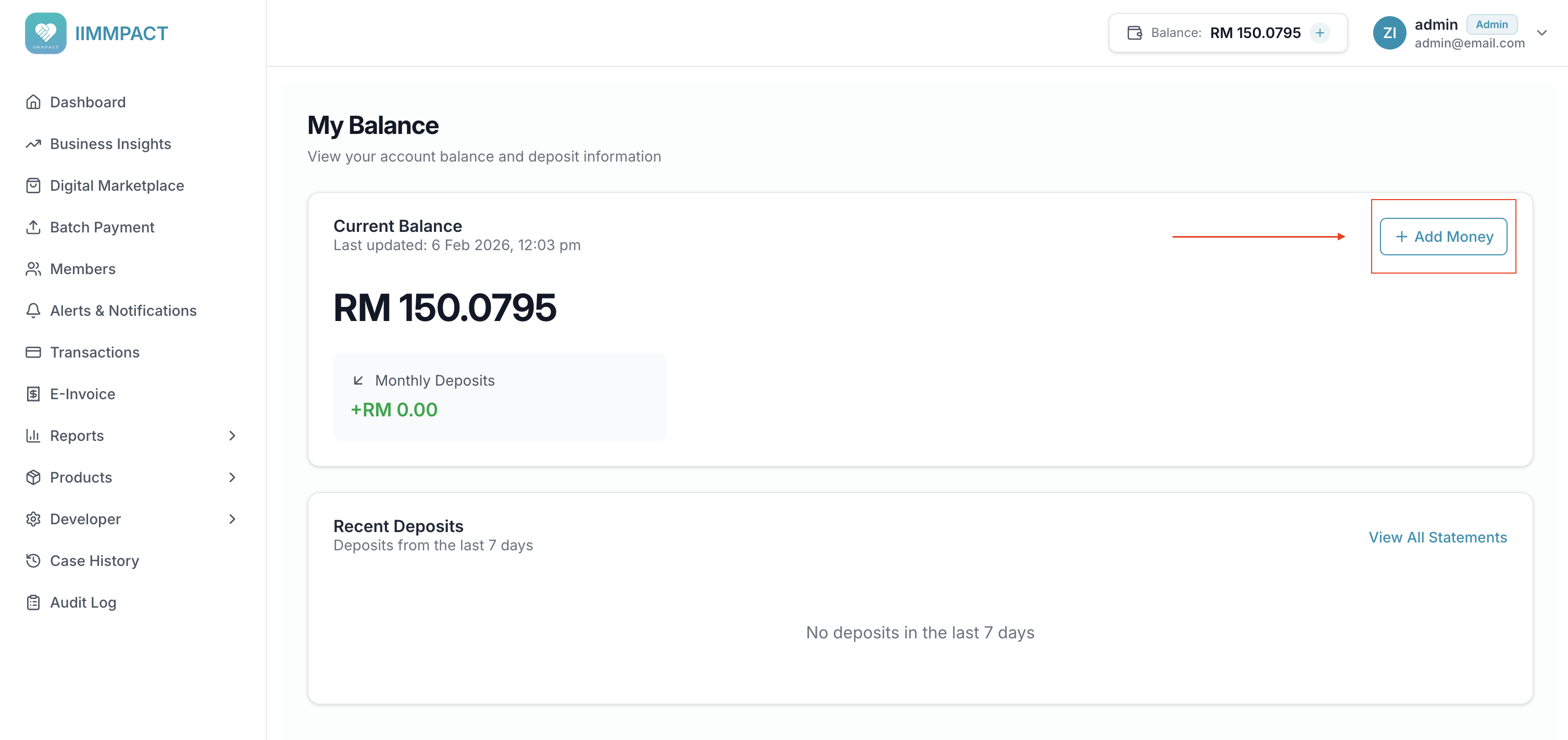
- Log in to the Staging Dashboard
- Click the Balance display in the header (or navigate to the Balance page)
- Click Add Money
- Select a preset amount (RM 100, 500, 1,000, 5,000, or 10,000) or enter a custom amount (RM 10 – 50,000)
- Click Add to credit your account instantly
TIP
This feature is only available in staging. In production, balance is added via bank transfer.
Production top-ups
In production, find bank transfer details on the Dashboard Balance page. Your first 3 top-ups require manual verification (up to 1 business day). After that, top-ups are processed automatically.
Get your API credentials
To integrate with the IIMMPACT API, you will need an API key and a secret.
Log in to the Dashboard and navigate to Developer > API Keys.
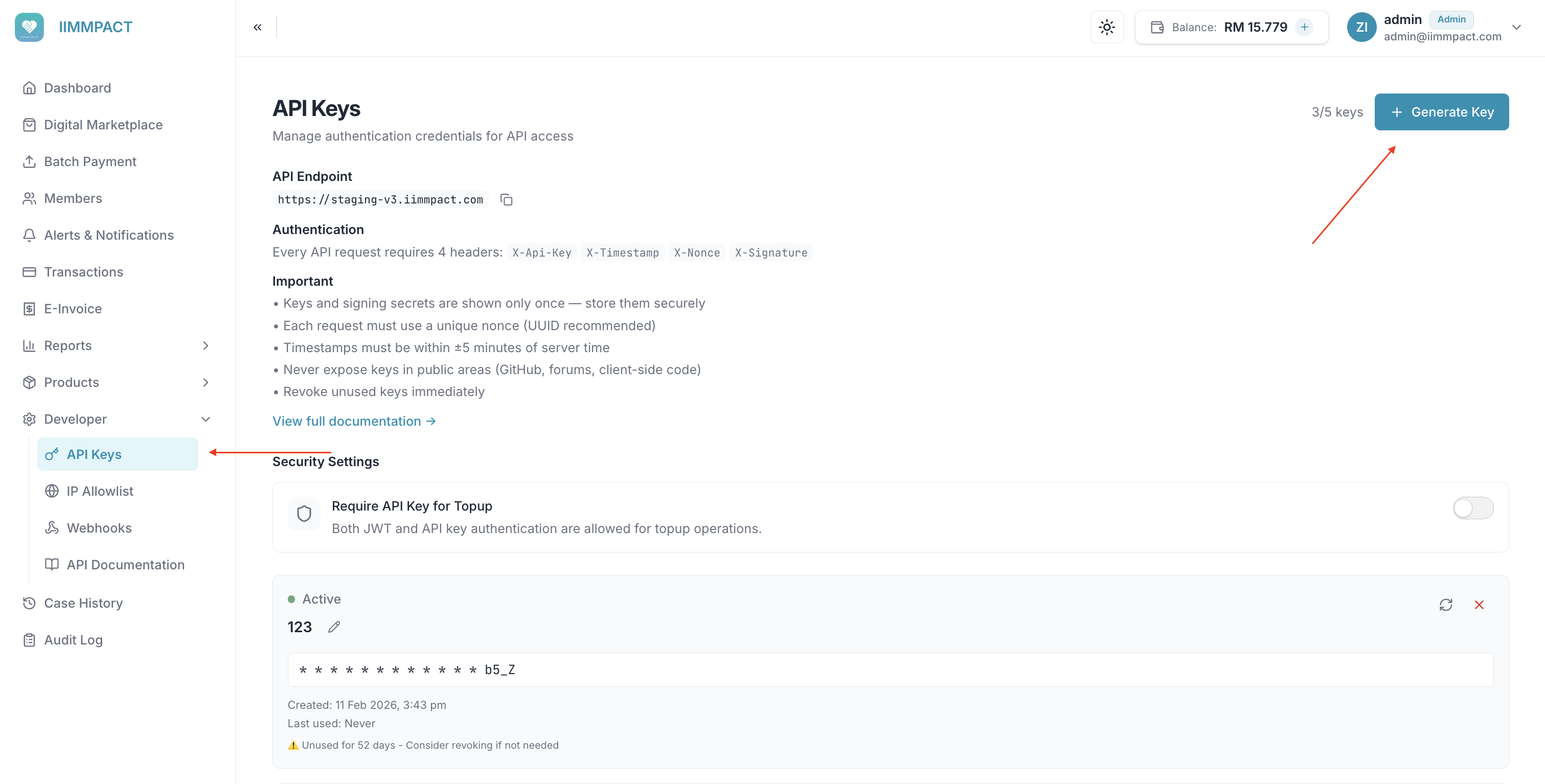
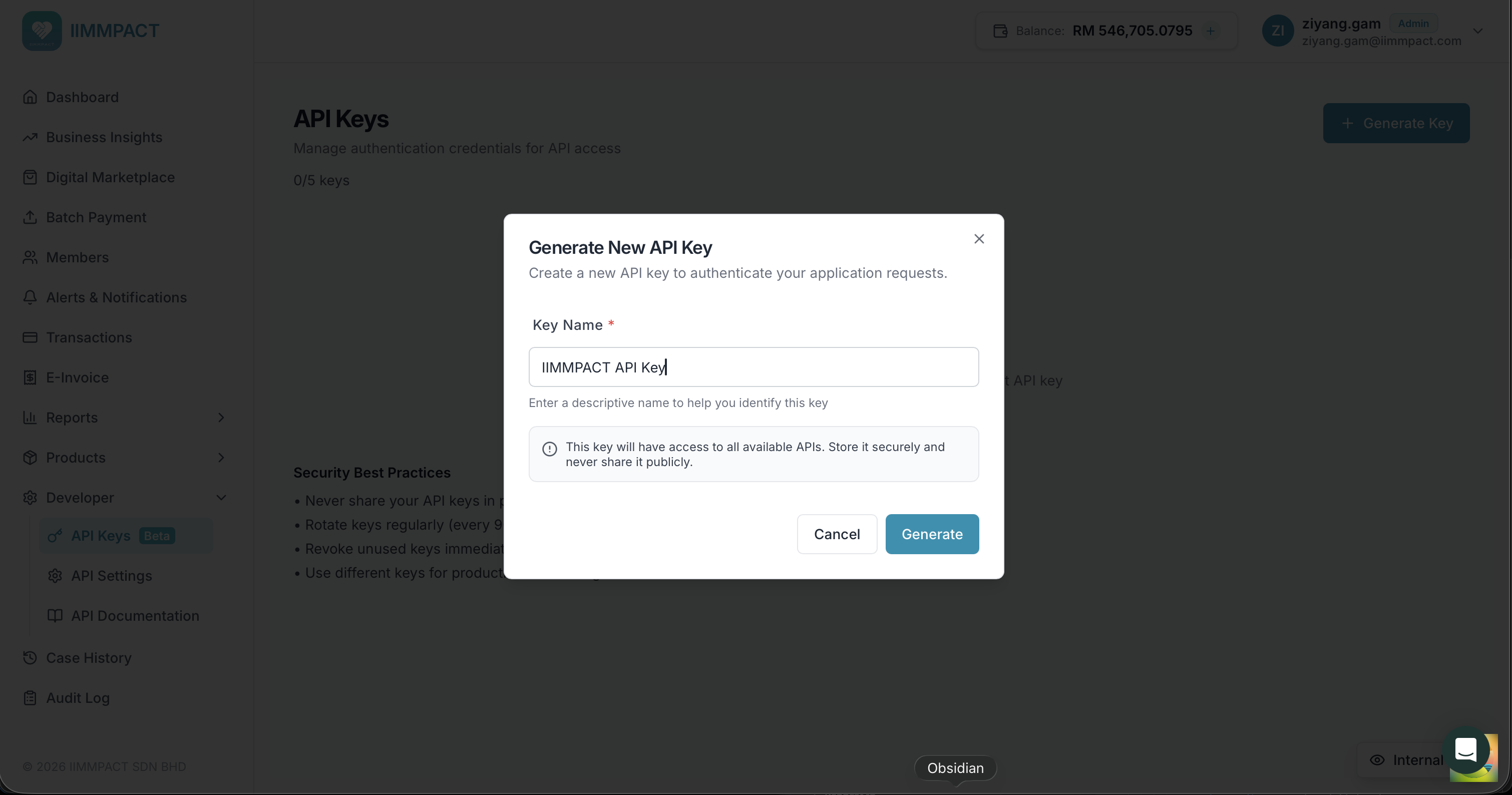
- Click Generate Key.
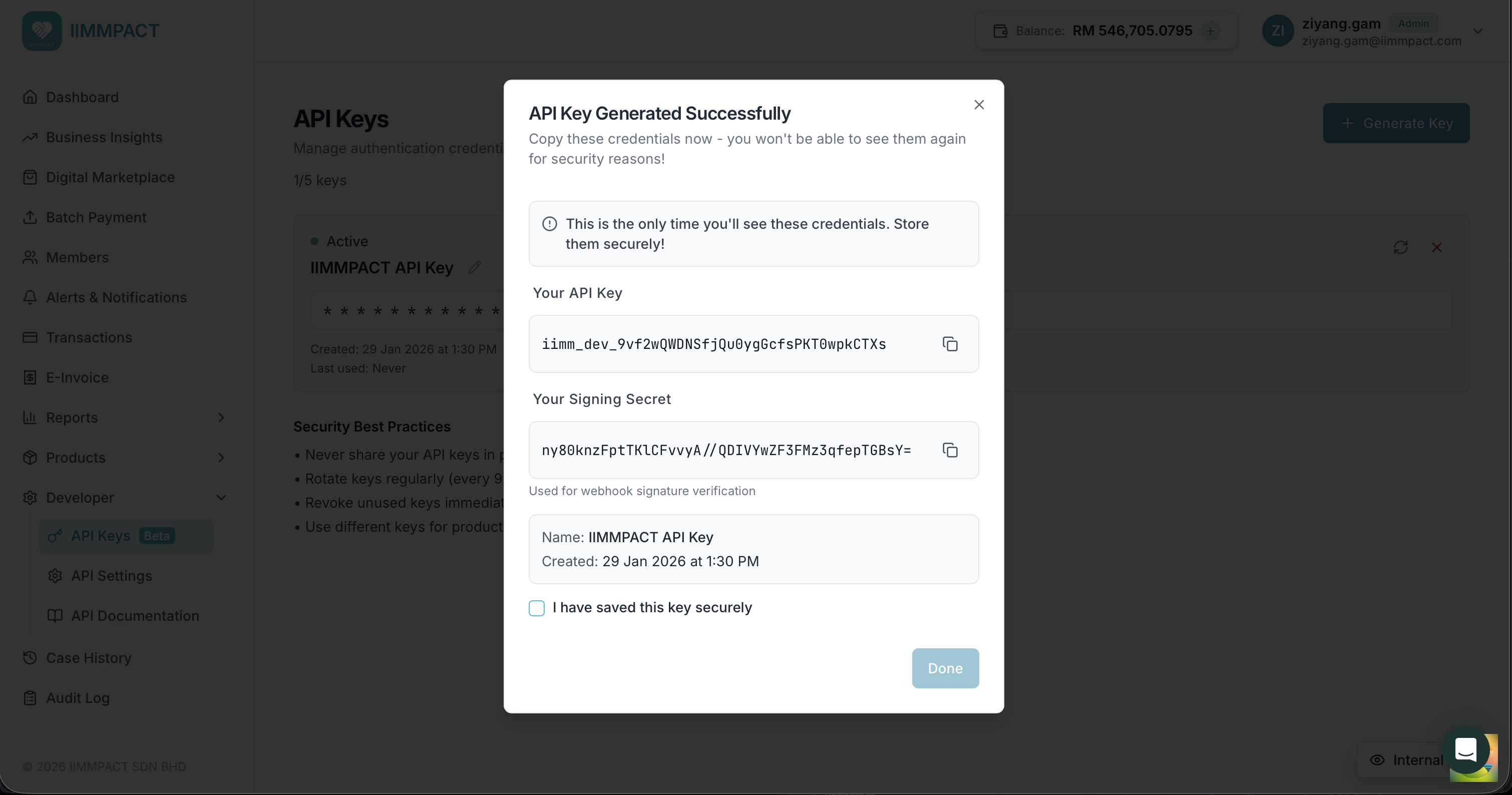
- Copy and store both the API key and HMAC secret immediately.
DANGER
The API key and secret are shown only once. If you lose them, you must rotate the key to generate new credentials.
Next steps
- API Key Authentication — how to sign your API requests
- Integration Guide — step-by-step integration walkthrough
- Callback URL Setup — receive webhook notifications