
Appearance
Members
Manage who can access your IIMMPACT account. Everyone on the account uses the same wallet balance. Assign each member either the Admin or Viewer role to control what they can do in the Dashboard.
Add a member
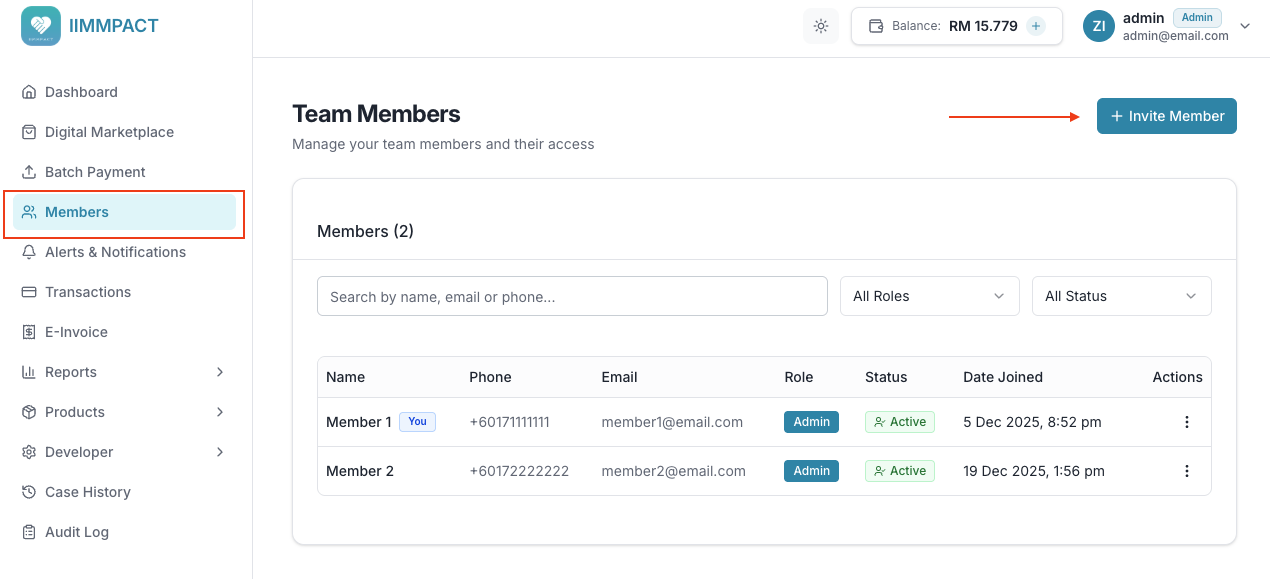
From the Members page:
- Click Invite Member.
- Enter the person's name, phone number, and email address.
- Choose Admin or View Only for their role.
- Click Continue.
- Enter your password, then click Add Member.
The invitation is sent after your password is confirmed. The person's status remains pending until they complete the steps in their invitation. Existing IIMMPACT users can accept or decline the invitation from their Dashboard. You will receive a notification when they respond.
To invite someone else, click Invite another after sending the first invitation.
Roles
| Role | Access level | Can execute payments? |
|---|---|---|
| Admin | Full access to all features and settings | Yes |
| Viewer | Can view transactions and reports only | No |
TIP
Only Admins can invite members, change roles, or remove members. Viewers can only view the member list.
Change a member's role
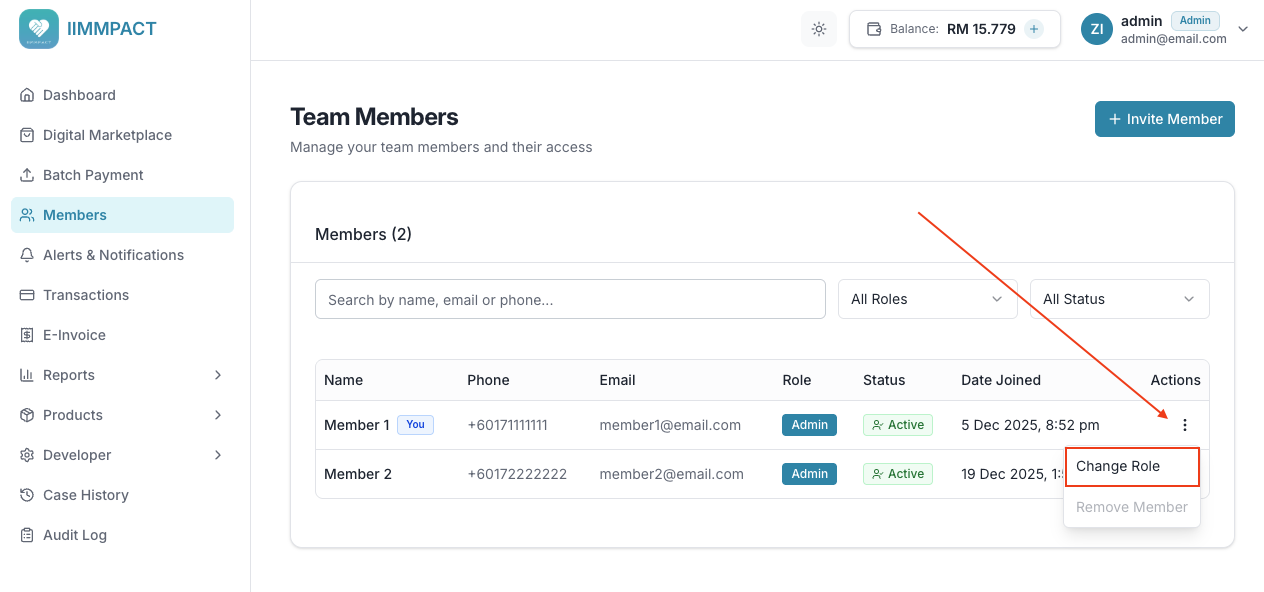
- Go to the Members page.
- Click the actions menu (three dots) on the member you want to update.
- Select Change Role.
- Choose the new role (Admin or Viewer) and confirm.
Remove a member
- Go to the Members page.
- Click the actions menu (three dots) on the member you want to remove.
- Select Remove Member and confirm.
DANGER
Removing a member is immediate and cannot be undone. The member will lose all access to the account.