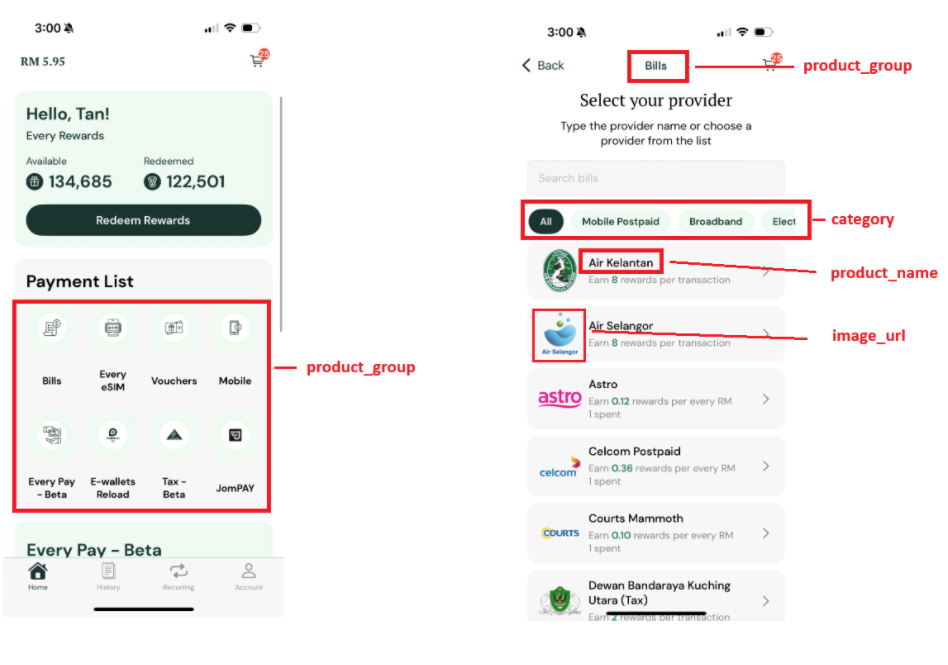
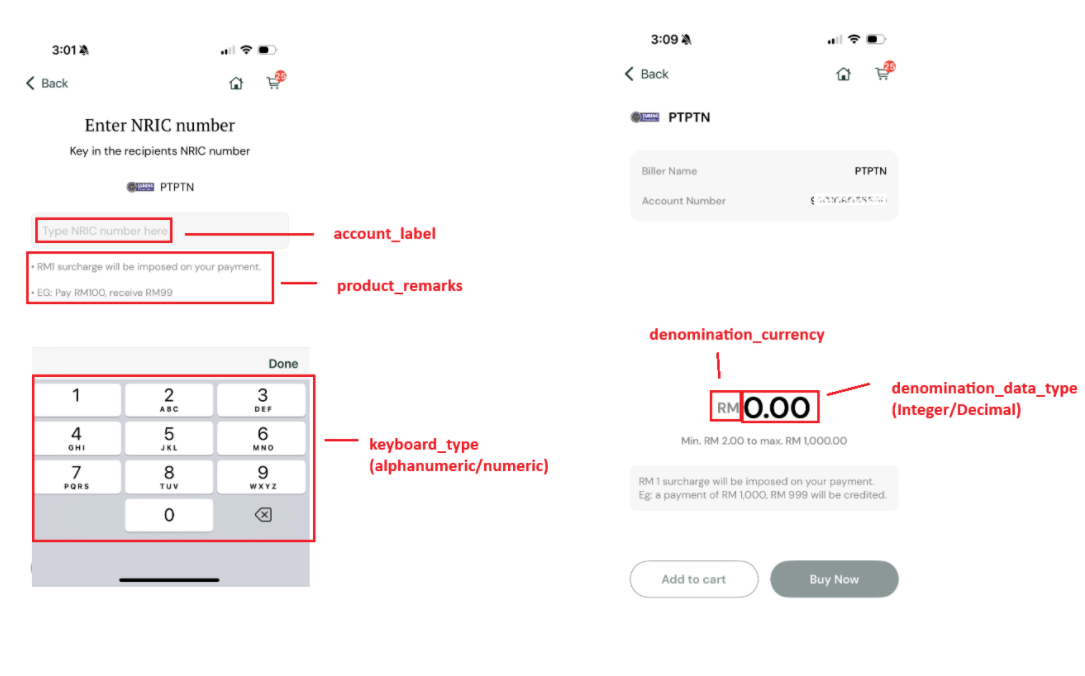
Appearance
Step 1: Product Listing
Every API call in the integration flow requires a product code. Before you can check network status, retrieve bills, or process payments, you need the list of available products and their codes.
There are two ways to get this list:
- Dashboard — Download a CSV export for initial setup or manual reference.
- API — Fetch products programmatically at runtime so your app always reflects the latest offerings.
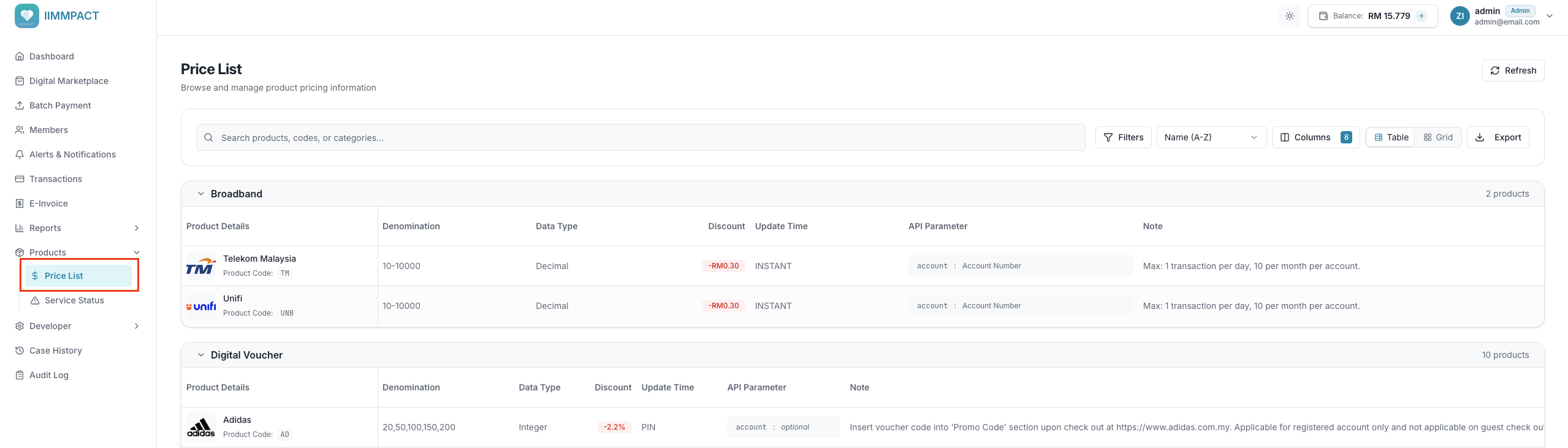
Dashboard
From the Price List page in the Dashboard, download a complete list of product codes, names, denominations, and pricing as a CSV file.
This is useful during initial development or for manual reconciliation, but should not be your only source of product data in production.
API
For production integrations, use the Product Listing API to dynamically populate your app's product offerings at runtime.
API Reference
For the full endpoint specification (headers, response schema, and examples), see Product Listing API Reference.
Dynamic Product Updates
When a user navigates to a relevant section of your app, call the Product Listing API. The response contains the most up-to-date list of products — including pricing, status, and image URLs — which you can use to dynamically render the user interface.
This approach ensures that any changes made on the IIMMPACT platform — such as adding new billers, deactivating old products, or changing denominations — are reflected in your app instantly, without needing any reintegration or forcing users to download an update.