
Appearance
Catalog Webhooks
Catalog webhooks notify your system in real time when your product catalog changes. Instead of manually checking for updates, your backend is notified automatically whenever products, options, categories, or groups are created, updated, or deleted.
Setup
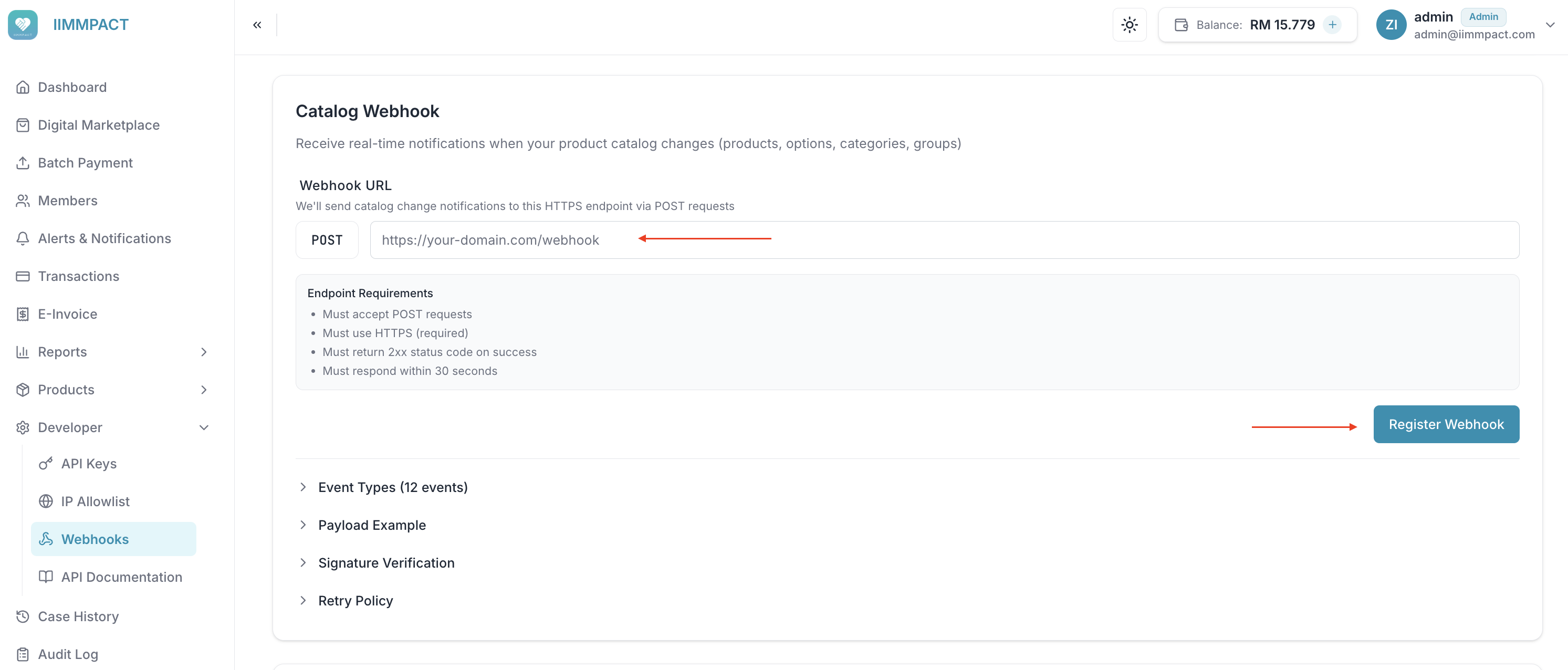
Catalog webhooks are configured from the IIMMPACT Dashboard:
- Go to Developer > Webhooks
- Under Catalog Webhooks, enter your HTTPS webhook URL
- Click Register — your webhook secret is shown once. Store it securely.
- Share the secret with your development team for signature verification
DANGER
The webhook secret is shown only once. If lost, you can rotate it from the same page, but the old secret is immediately invalidated.
From the same page you can also:
- Enable/disable webhook delivery without removing your configuration
- Rotate your webhook secret if compromised
- Remove your webhook configuration entirely
Events During Downtime
Events that occur while webhooks are disabled are not queued. When you re-enable webhooks, refresh /v2/catalog and the relevant /v2/options pages. Refresh account-dependent options for the corresponding account.
What You Get Notified About
Your webhook receives product, option, category, and group change events automatically. Each HTTP request contains one event.
Every event (except deletes) carries the complete current state of the resource for your account, including your own customisations. Replace your stored copy with it, and clear any field that arrives as null. If you remove a customisation, you receive an updated event with the standard catalog values; a deleted event is sent only when the resource no longer exists for you. Products your account cannot purchase arrive with is_active: false. Hidden products carry is_hidden: true and may still be is_active: true, so apply your own listing policy.
For the complete event list and payload schema, see Catalog Webhook Events.
How It Works
Your endpoint should verify the webhook signature over the raw request body, acknowledge valid events quickly with a 2xx response, and process the change idempotently. Events are not guaranteed to arrive in order, so also periodically refresh /v2/catalog and the relevant /v2/options pages to reconcile your copy.
The webhook URL must be a public https address. Private, loopback and link-local addresses are rejected, redirects are not followed, and requests time out after 30 seconds.
Respond Quickly
Return 200 OK as fast as possible. If your processing is slow, accept the webhook, queue the work, and process asynchronously. Slow responses may be treated as failures and trigger retries.
For signature verification, payload fields, retry rules, and handler examples, see Catalog Webhook Events.
Retry Policy
Failed deliveries are retried with exponential backoff. Events are not queued while webhooks are disabled.
For exact retry timing and retryable status codes, see Catalog Webhook Events.
What's Next
- Product Catalog Overview — Understand the Dynamic Product Catalog
- Catalog Webhook Events Reference — Technical payload schema, retry rules, and signature verification for your development team