Appearance
Case History
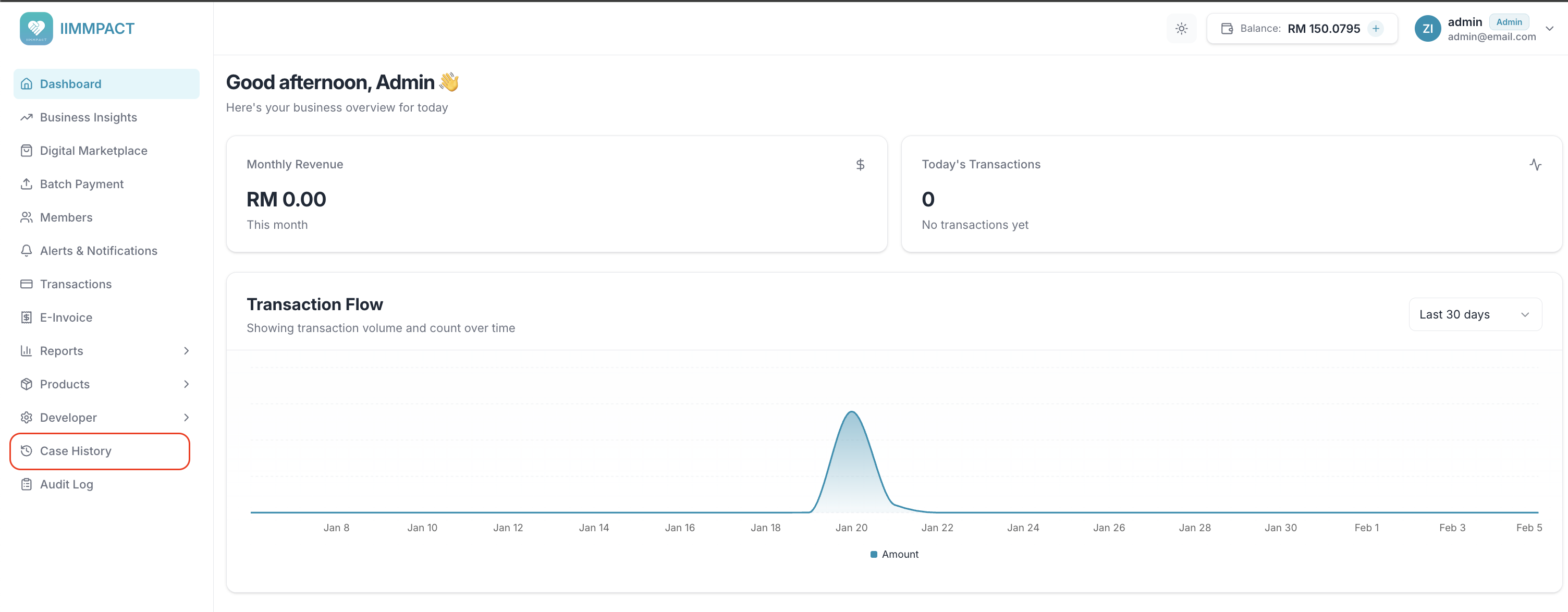
Track all support cases raised by your end-consumers. From the Dashboard sidebar, click Case History.
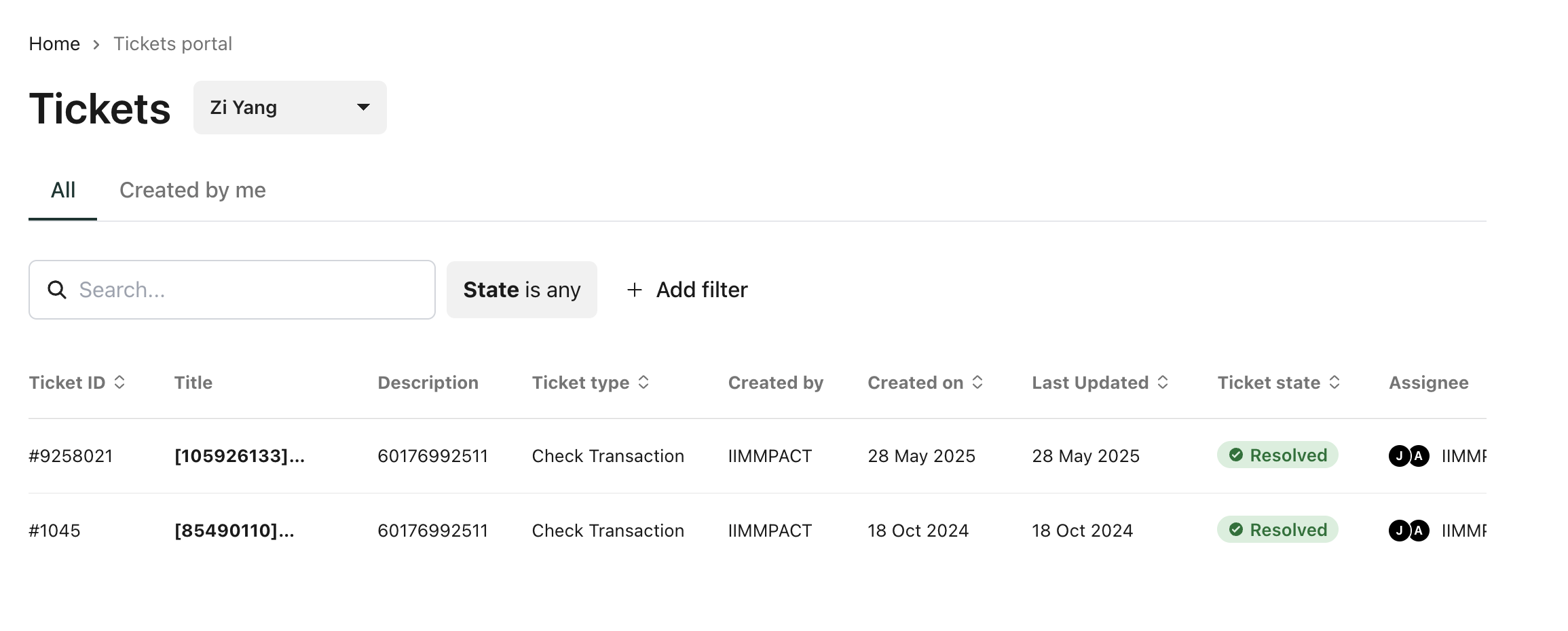
You can view all tickets, search, and filter by state. Each ticket includes:
- Ticket ID
- Title
- Description
- Ticket type (e.g., Check Transaction)
- Created by
- Created on / Last Updated
- Ticket state (e.g., Resolved)
- Assignee