Appearance
Reconciliation
Integration Guide
This is Step 7 of the Integration Guide. After verifying your transaction status, use these tools to reconcile your account.
The IIMMPACT Dashboard provides reports to help you reconcile your account activity. You can view transaction history, balance statements, and download invoices — all from the Dashboard.
Transaction History
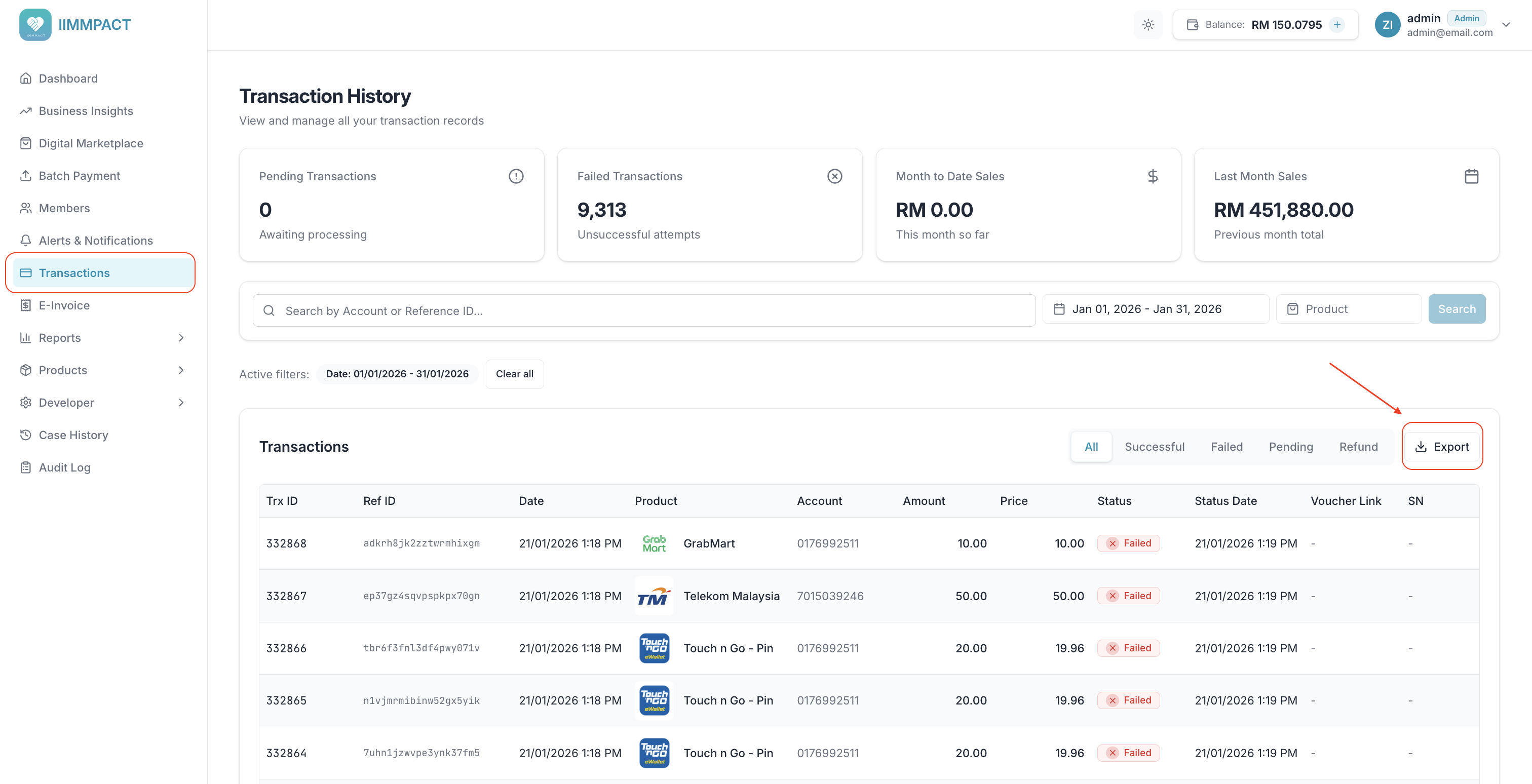
View detailed records of all transactions associated with your account, including status, amounts, and reference IDs. From the Transactions page, you can filter by product, account number, reference ID, date range, and status.
Transactions can be exported as CSV. Individual transaction receipts can be downloaded as PDF.
TIP
You can also retrieve transaction data programmatically via the Transaction History API.
Balance Statement
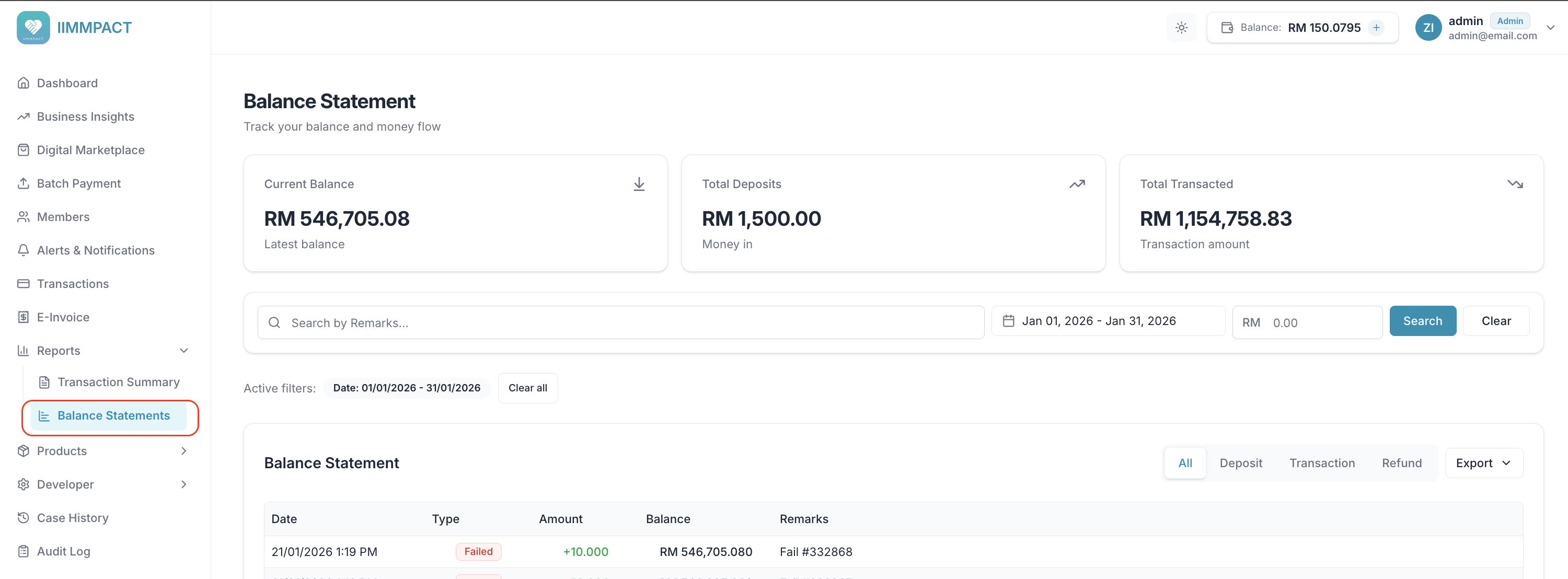
View a detailed breakdown of your account's running balance over a given time period, including deposits, transactions, refunds, and commissions. From the Reports > Balance Statements page, you can filter by date range, transaction type, amount, and remarks.
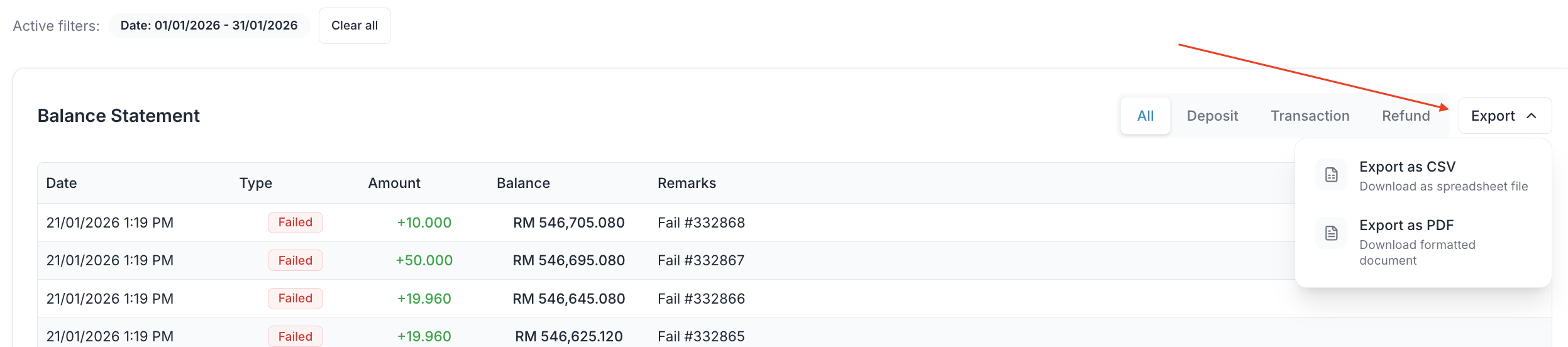
Balance statements can be exported as CSV or PDF.
Use the export dropdown to download the statement as CSV or PDF.
TIP
You can also retrieve balance statement data programmatically via the Balance Statement API.
Transaction Summary
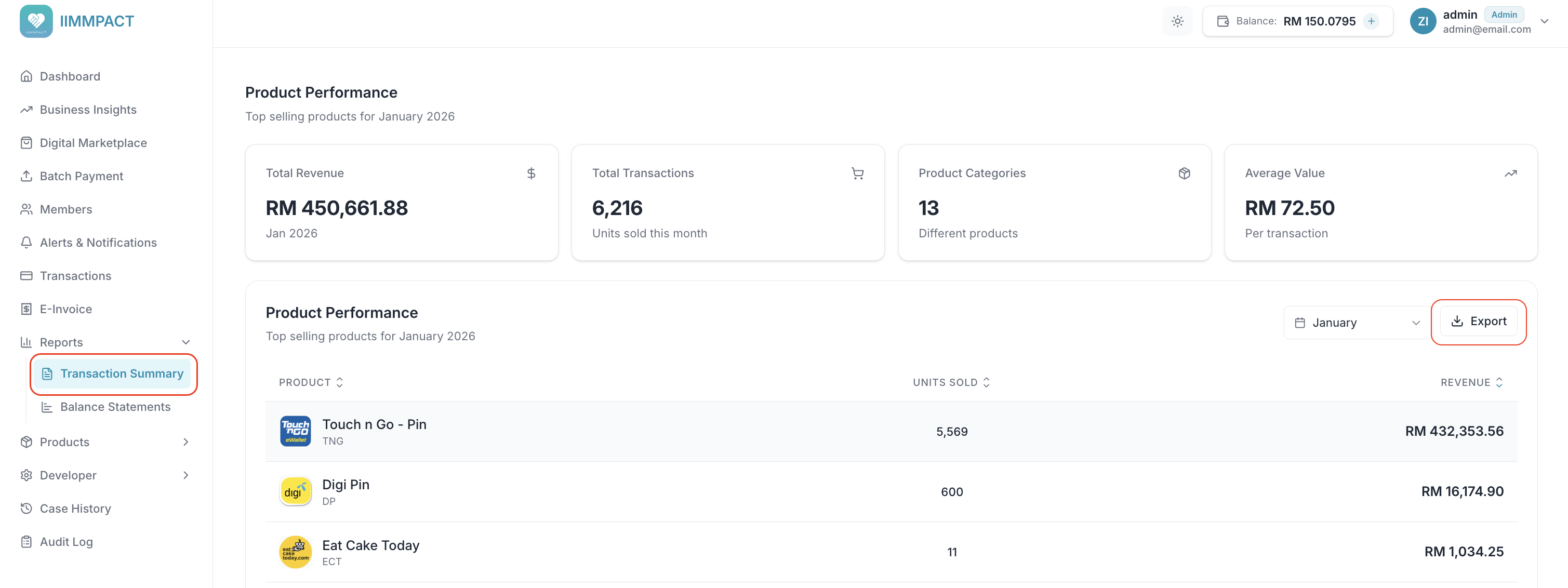
View a monthly summary of product performance, including units sold and revenue per product. From the Reports > Transaction Summary page, select a month to view the breakdown.
The summary can be exported as a PDF invoice.