
Appearance
API Keys
Manage your API credentials from Developer > API Keys in the IIMMPACT Dashboard. You can generate up to 5 API keys per account.
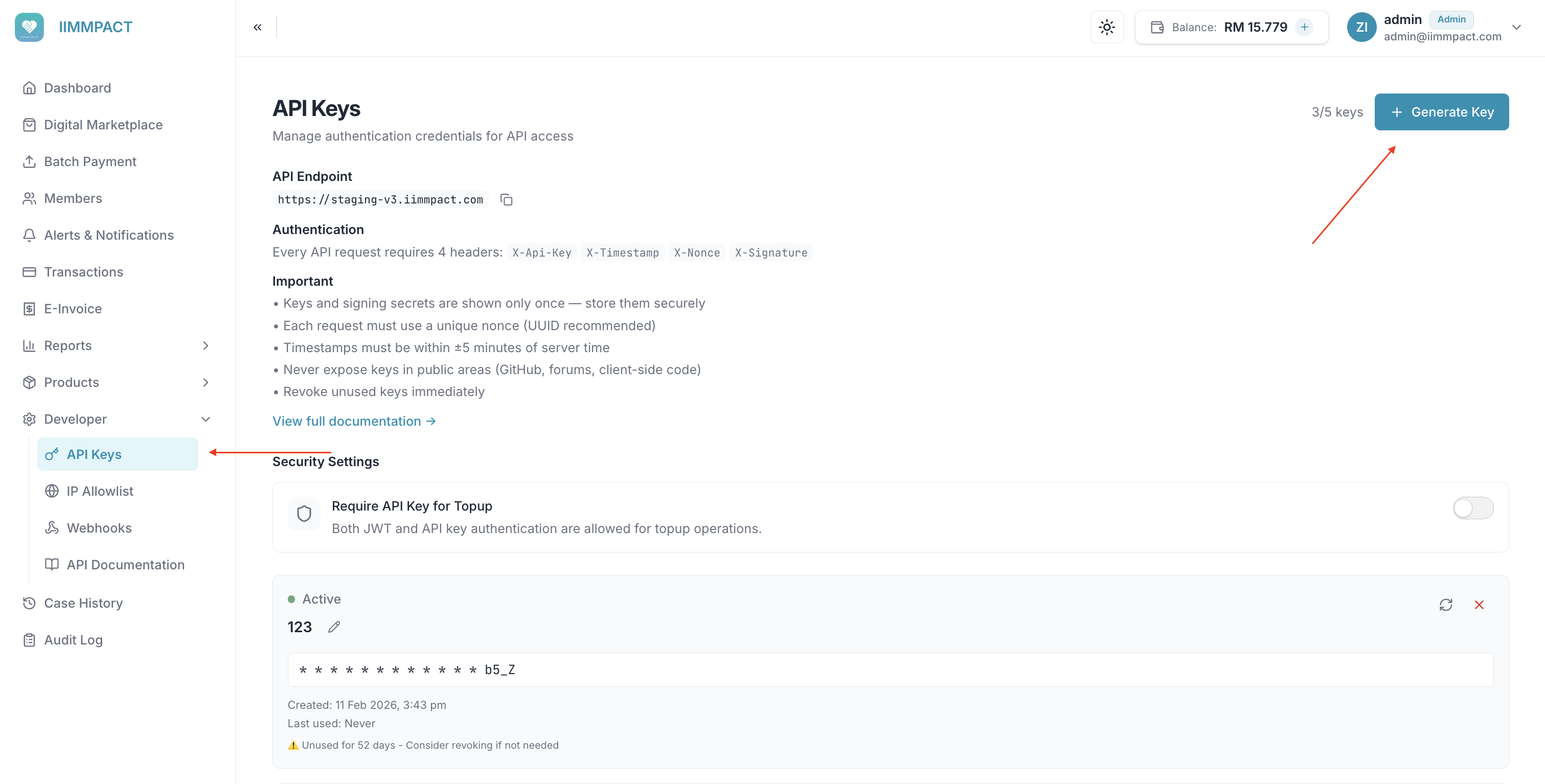
Generate a Key
- Click + Generate Key.
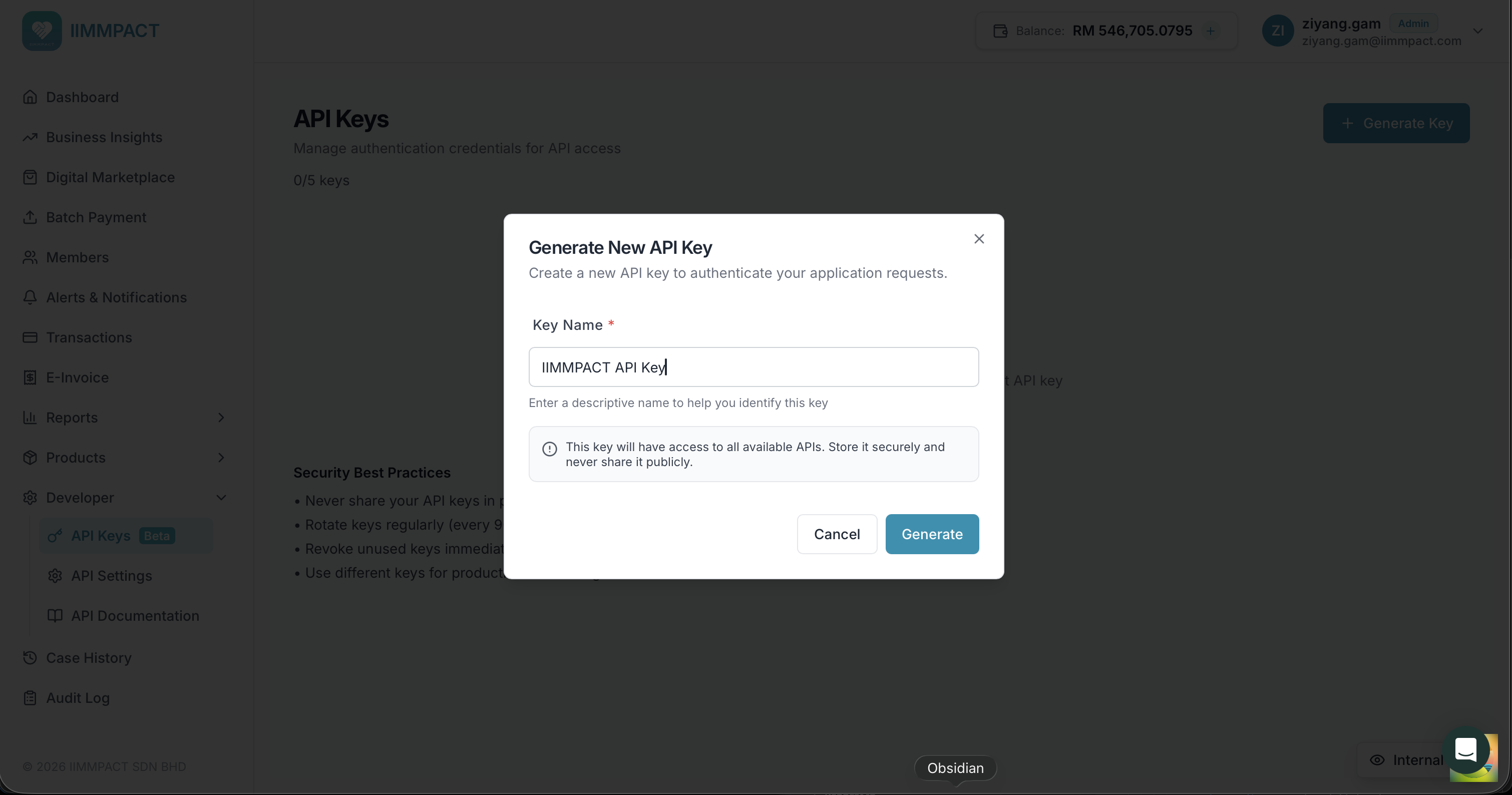
- Enter a descriptive Key Name to help you identify this key (e.g., "Production Server", "Staging").
- Click Generate.
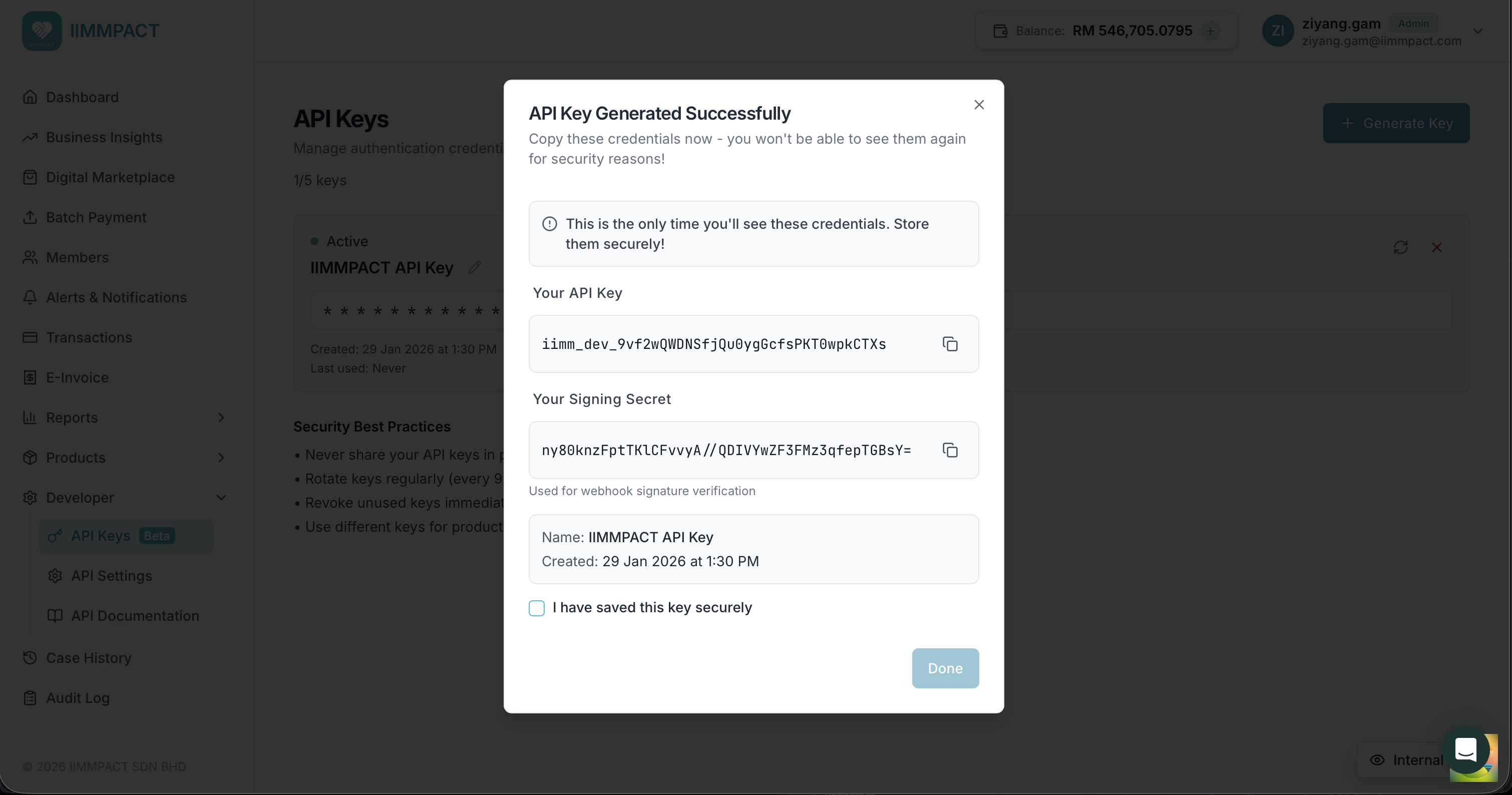
Your API Key and Signing Secret (HMAC secret) are displayed once. Copy and store both values securely before closing the dialog.
DANGER
The API key and signing secret are shown only once. If you lose them, you must rotate the key to generate new credentials.
Tick I have saved this key securely and click Done to close the dialog.
Manage Keys
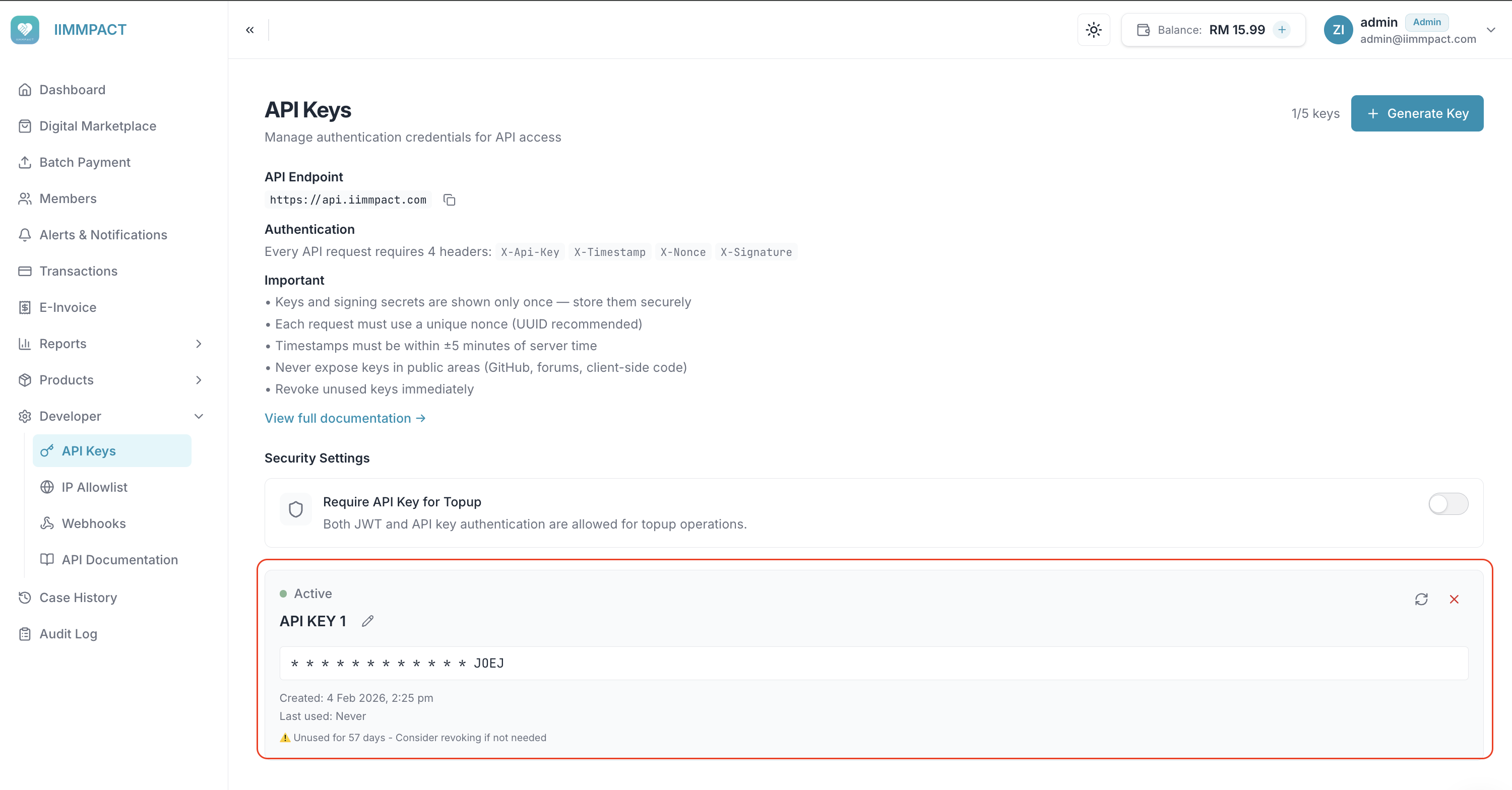
Each key card shows:
- Status — Active (green dot)
- Key Name — click the pencil icon to rename
- Masked Key — only the last few characters are visible
- Created Date and Last Used timestamp
- Unused key warning — keys unused for an extended period show a warning suggesting you revoke them
Rotate a Key
Click the rotate icon to generate a new API key and signing secret. The old credentials are immediately revoked.
Delete a Key
Click the X icon to permanently delete a key. Any requests using this key will fail immediately.
Require API Key for Topup
Account owners can enforce API key-only authentication for topup (payment) requests. When enabled, topup requests authenticated with a JWT bearer token are blocked — only API key + HMAC signed requests are accepted.
To configure, toggle Require API Key for Topup under Security Settings on the API Keys page.
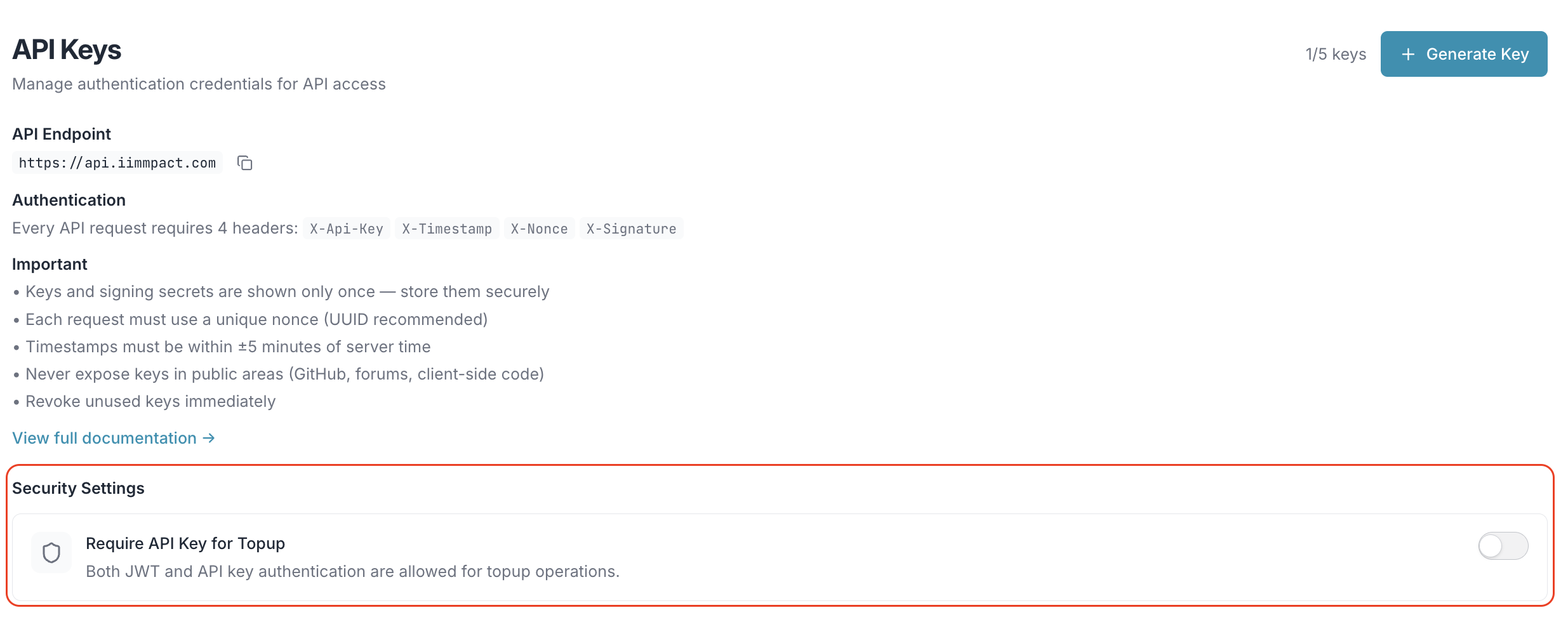
When enabled:
- API key requests — continue to work as normal
- JWT bearer token requests to the topup endpoint — return
403 Forbidden
WARNING
Enabling this setting immediately blocks all JWT-authenticated topup requests. Ensure all your clients use API key + HMAC authentication before enabling.
TIP
Changes may take up to 5 minutes to take effect due to caching.
For full technical details on API key authentication and HMAC signing, see API Key Authentication.
Security Best Practices
- Never share your API keys in publicly accessible areas (GitHub, forums, client-side code)
- Rotate keys regularly (every 90 days recommended)
- Revoke unused keys immediately
- Use different keys for production and testing environments